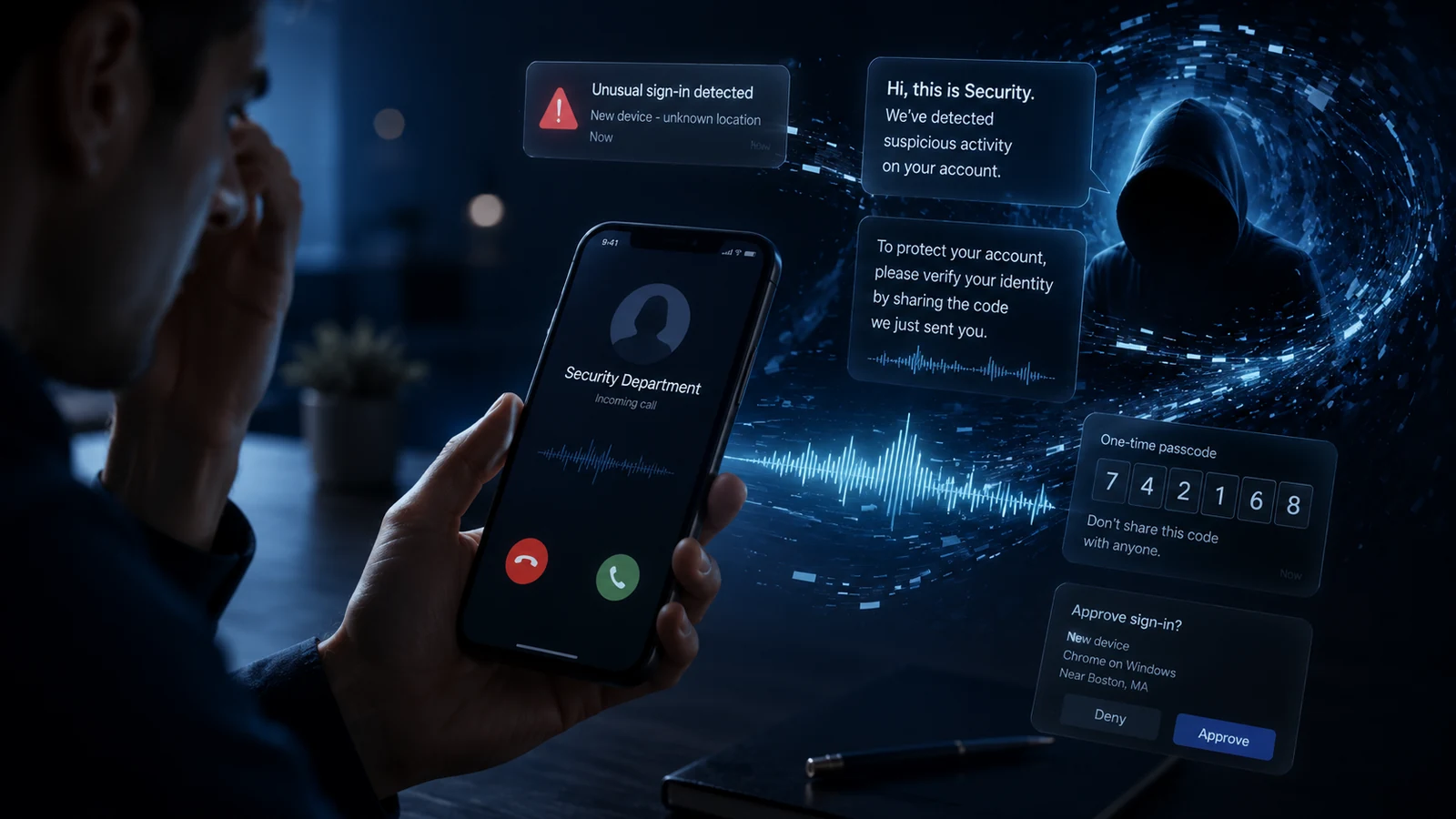
Phishing, vishing, and credential theft in 2026: how identity attacks really work
A practical 2026 deep dive into phishing, vishing, MFA bypass, session theft, credential stuffing, and identity-defense controls for people, founders, CTOs, and engineering teams.
In 2026, phishing and vishing are identity-compromise chains. Attackers imitate trusted workflows, pressure users through email or voice, capture passwords, MFA codes, session tokens, OAuth consent, or recovery access, then stabilize the account through recovery settings, new devices, forwarding rules, or tokens. Practical defense requires phishing-resistant MFA for high-risk accounts, safer sessions, recovery-flow controls, email authentication, helpdesk hardening, and high-signal identity logging.
Cybersecurity 2026: attack, detection, and defense guide
A PAS7 Studio series on practical cybersecurity in 2026: common attack paths, detection signals, and concrete mitigation patterns.
All articles in this guide
01
Cybersecurity in 2026: common attacks and practical defense baseline
A high-level map of attack types and the minimum defense controls for people, products, and teams.
02
Phishing, vishing, and credential theft in 2026
Deep dive into modern phishing and identity abuse patterns with practical defensive controls.
03
Ransomware and data extortion defense in 2026
How to prepare for ransomware with segmentation, backups, incident workflows, and recovery drills.
04
DDoS protection for websites, APIs, and edge
L3/L4/L7 DDoS patterns and architecture-level mitigation for availability and resilience.
05
Supply chain security for dependencies and CI/CD
Dependency risk, artifact trust, CI/CD hardening, and vendor access control.
06
API security: BOLA and access control failures
How authorization failures happen in real products and how to test for them.
07
Cloud misconfiguration and IAM risk in 2026
Cloud posture, IAM boundaries, exposed services, and continuous guardrails.
08
AI-assisted attacks and prompt injection
How AI changes attack speed and how to secure agents, tools, and RAG pipelines.
The identity attack no longer starts and ends in your inbox
The classic phishing lesson was simple: do not click suspicious links. That advice still helps, but it is not enough for 2026.
Core idea
The phishing link is only the doorway. The real target is durable access to identity, data, money, or infrastructure.
What changed by 2026
Attackers are not winning only because users became careless. They are winning because identity systems, SaaS stacks, and communication channels became more connected.
Credential theft is a data flow problem. Email, voice, login pages, MFA prompts, sessions, and recovery channels can all feed the same attacker-controlled collection path.
Section what-changed screenshotPhishing became multi-channel
MFA is now a target, not a finish line
Traditional MFA helps against password reuse, but OTP codes, push approvals, and helpdesk resets can be manipulated when the attacker controls the conversation or proxies the login flow. NIST does not treat manually entered OTP outputs as phishing-resistant. [6]
Identity providers became chokepoints
When attackers compromise SSO or email, they can move from one login event into many connected SaaS products. Okta has described custom phishing kits built specifically to support voice-based social engineers in vishing campaigns. [11]
Automation improves attacker economics
Microsoft's 2025 Digital Defense Report describes a high-volume environment for phishing, cybercrime-as-a-service, identity abuse, and AI-assisted social engineering. [7]
A realistic phishing-to-account-takeover chain
This is the first contextual illustration in the article because it explains the main mental model before the deep dive. The exact tooling changes, but the attack pattern is stable enough to defend against.
Pretext
The attacker creates a believable reason: payroll update, expired session, security incident, vendor invoice, shared document, delivery issue, domain renewal, or urgent support case.
Trust anchor
The message borrows trust from a known brand, internal person, supplier, identity provider, bank, cloud platform, or app the target already uses.
Controlled interaction
The victim is moved into an attacker-controlled channel: fake login page, QR destination, phone call, remote support flow, malicious OAuth consent screen, or fake browser prompt.
Credential or token capture
The attacker collects a password, OTP, backup code, push approval, device code, OAuth authorization, session cookie, or recovery workflow access.
Account stabilization
After access, the attacker may add a recovery email, register a new authenticator, create forwarding rules, generate API tokens, export data, or prepare persistence.
Business impact
The final damage may be data theft, invoice fraud, source-code access, cloud compromise, user impersonation, ransomware staging, or reputational loss.
What high-authority sources keep repeating
The details vary across reports, but the direction is clear: identity abuse is scalable, social engineering is improving, and phishing-resistant authentication is becoming the defensive baseline.
Both consumer and business guidance repeatedly warn about urgency, familiar names, and requests for sensitive information. The practical response is independent verification through a known channel. [1][2][3]
NIST SP 800-63B draws a clear line between traditional MFA and phishing-resistant authentication. Manually entered OTP outputs should not be treated as phishing-resistant. [6]
CISA promotes phishing-resistant MFA and points teams toward authentication that cannot be tricked into sending secrets to an impostor site. [5]
Okta describes phishing kits designed around the social engineer's live conversation, which is a useful reminder that the attack is operational, not only technical. [11]
Common phishing and identity-abuse patterns in 2026
Use this map to recognize what you are defending against. Most organizations face more than one of these at the same time.
A polished phishing flow still leaves behavioral clues: urgency, borrowed brand trust, mismatched destinations, credential capture, and pressure to complete MFA outside normal context.
Section common-patterns screenshotClassic credential phishing
A fake email, message, or landing page asks the user to sign in, verify the account, download a document, update payment details, or resolve an urgent issue. Visual polish is no longer a reliable trust signal.
Vishing and phone escalation
A phone call turns the attack into a live conversation. The caller can adapt, calm the victim, pressure them, and guide them through the exact steps needed to reveal a code or approve access.
Adversary-in-the-middle login relay
The victim enters credentials and MFA into a fake flow while the attacker relays the session to the legitimate service. This is why OTP and push MFA can fail against real-time phishing.
Session theft
The attacker does not always need a password after login. Browser cookies, session tokens, OAuth tokens, refresh tokens, or stolen device context can allow access while the user believes MFA protected the account.
Credential stuffing and password spray
Leaked passwords are replayed against many services, or a small set of common passwords is tried across many accounts. Unique passwords, rate limits, MFA, and anomaly detection reduce the blast radius.
Helpdesk and recovery abuse
Attackers target the processes around authentication: support staff, MFA reset flows, device enrollment, recovery emails, SIM swaps, and account recovery exceptions.
OAuth and consent phishing
Instead of stealing a password, the attacker convinces a user or admin to grant an app access to email, files, contacts, or cloud resources. The login can look legitimate because the consent flow is real.
QR, SMS, and collaboration-tool lures
The delivery path may be a QR code, a text message, a calendar invite, a chat message, or a shared-document notification. The channel changes, but the objective remains identity compromise.
Why MFA still fails in real incidents
MFA is still one of the most important controls a team can enable. But the sentence 'we have MFA' is not the same as 'we are resilient against phishing'. The type of MFA and the surrounding process matter.
SMS codes, email codes, authenticator-app OTPs, and push prompts all improve security against basic password reuse. They are much weaker when the attacker can talk to the victim, proxy the login in real time, or pressure a helpdesk into resetting the second factor.
NIST's phishing-resistance language is useful because it removes wishful thinking: authentication should not rely on the user's ability to notice the fake verifier. Phishing-resistant authentication should prevent valid authenticator outputs from being disclosed to an impostor verifier. [6]
In practical terms, that points teams toward passkeys, FIDO2/WebAuthn, hardware security keys, and strong device-bound or verifier-bound authentication for the accounts that can cause the most damage.
Traditional MFA reduces password-only risk, but phishing-resistant authentication changes the attacker's path because the authenticator is bound to the real site.
Section why-mfa-fails screenshotPractical rule
MFA is necessary. Phishing-resistant MFA is the control that changes the attacker economics for high-value accounts.
Personal defense baseline: what normal users should actually do
Security advice fails when it is too complicated. This baseline is intentionally simple and repeatable.
Use a password manager and unique passwords
Never reuse passwords across email, banking, cloud, social, work, domain registrar, or developer accounts. A password manager makes this realistic.
Never share a one-time code on a call
A legitimate support person should not need your OTP, backup code, password, or screen-lock PIN. Treat any request for a code as a stop signal.
Verify through a known channel
If a message claims urgency, do not use the number or link inside that message. Open the app yourself, type the domain manually, or call a known number from your records. FTC recommends independent verification when unsure. [1]
Review devices and sessions
Periodically check signed-in devices, active sessions, recovery emails, forwarding rules, and connected apps. Attackers often try to stabilize access after the first successful login.
Protect recovery paths
Your recovery email, phone number, password manager, and device unlock method are part of your security perimeter. Weak recovery breaks strong login security.
Product and SaaS defense baseline
A product team cannot solve phishing only with user education. The system should make compromise harder, noisier, and less damaging.
Offer phishing-resistant authentication for admins, finance users, developers, support agents, and customers with sensitive data.
Treat session tokens like credentials: shorten high-risk sessions, rotate refresh tokens, and require re-authentication for sensitive actions.
Add step-up checks for password changes, recovery email changes, MFA resets, export actions, API key creation, payout changes, and admin role updates.
Instrument identity events: login attempts, MFA failures, new devices, recovery changes, impossible travel, consent grants, token creation, and admin changes.
Harden support workflows with no-code-sharing rules, approval requirements for MFA resets, audit trails, and clear escalation paths.
Design login alerts that show device, location, time, app, and a clear 'this was not me' path.
Rate-limit login abuse with throttling, bot detection, IP and ASN reputation, breached-password checks, and progressive friction.
Apply SPF, DKIM, DMARC, and domain hygiene. Email authentication will not eliminate phishing, but it reduces easy spoofing and improves trust signals. [1]
High-signal identity events worth alerting on
Identity telemetry is noisy. The goal is not to alert on every login. The goal is to catch combinations that indicate compromise or account takeover.
The useful signal is usually the sequence after login: new device, recovery change, token creation, export activity, and persistence attempts clustered in a short window.
Section detection-signals screenshotNew device plus recovery change
A login from a new device followed by recovery email change, MFA reset, password change, or forwarding-rule creation is a stronger signal than a new device alone.
MFA prompt storm
Repeated push prompts, failed OTP attempts, or a successful approval after many denials may indicate MFA fatigue or an attacker on a live call.
Token activity after impossible travel
If an account uses valid session material from unusual geography, hosting infrastructure, anonymizing networks, or multiple distant locations, investigate token theft.
Sensitive export after first login
First-time access followed by mailbox search, CRM export, billing change, source-code clone, cloud key creation, or bulk download should raise severity.
Support reset clusters
Multiple account recovery or MFA reset requests through support in a short window may indicate social-engineering pressure against the helpdesk.
Consent and app grants
New OAuth applications, SAML/OIDC integrations, unusually broad scopes, or admin-consented apps should be logged and reviewed.
If credentials were phished: first 60 minutes
This illustration belongs here because this section is operational: after credentials are phished, the reader needs a concrete sequence, not another abstract warning.
Revoke active sessions and refresh tokens
Password changes alone may not invalidate every active session. Force sign-out, revoke tokens, and remove unknown devices.
Reset credentials and rotate secrets
Change the password, rotate API keys, revoke app passwords, invalidate backup codes, and regenerate credentials exposed through the compromised account.
Check persistence points
Review recovery email, phone number, MFA devices, mail forwarding rules, inbox rules, OAuth grants, SSO apps, service accounts, and admin roles.
Inspect data access
Look for mailbox searches, document downloads, CRM exports, repository clones, cloud console actions, billing changes, and customer data access.
Notify owners and preserve evidence
Escalate internally, preserve logs, inform affected owners, and follow legal or compliance processes if customer data or regulated data may be involved.
Implementation checklist for engineering teams
This is the short version you can turn into Jira tickets or a security-hardening sprint.
Auth roadmap
Plan support for passkeys or FIDO2/WebAuthn, at least for admins and high-risk accounts first.
Session model
Define session TTLs, refresh-token rotation, token revocation, suspicious-session invalidation, and re-auth requirements for sensitive actions.
Account-change controls
Add explicit flows and alerts for password change, MFA reset, device enrollment, recovery updates, email change, API key creation, and payout changes.
Abuse controls
Add login rate limits, password-spray detection, breached-password checks, IP reputation, bot signals, and progressive friction.
Telemetry
Create structured logs for auth, admin, export, recovery, consent, and support events. Make them searchable by user, tenant, IP, device, and action type.
Support policy
Document what support can and cannot reset, which requests require approval, and which identity proof steps are mandatory.
Email domain hygiene
Configure SPF, DKIM, DMARC, monitored abuse mailboxes, domain renewal alerts, and lookalike-domain monitoring for high-value brands.
Incident drill
Run a tabletop exercise: a finance user is phished, SSO is accessed, and a recovery email is changed. Verify that logs, alerts, and response steps work.
Common mistakes that create false confidence
Training without system changes: awareness helps, but it should not be the primary control for high-value accounts.
MFA without phishing resistance: OTP and push MFA are better than passwords alone, but not enough for accounts that access money, production, customer data, or SSO administration.
No alert on recovery changes: attackers often secure persistence by changing recovery paths.
Helpdesk exceptions with no audit trail: fast support is valuable, but identity resets without structured verification become a bypass.
Treating customer auth and internal auth separately: lessons from customer account takeover should feed internal controls, and vice versa.
No recovery rehearsal: a policy that says 'revoke sessions and rotate tokens' is not the same as knowing where every session, token, app grant, and recovery path lives.
In 2026, phishing defense is identity architecture
Summary
Phishing is successful because it borrows trust. Good security design makes that borrowed trust insufficient to take over an account.
FAQ
Phishing is the broader category of social engineering that tricks users into revealing information or taking unsafe actions, usually through email, websites, SMS, QR codes, or messages. Vishing is voice phishing: the attacker uses a phone call or voice channel to pressure the target into sharing credentials, codes, approvals, or recovery information.
MFA is essential, but not all MFA is equally resistant to phishing. OTP codes, SMS, email codes, and push approvals can still be abused in real-time phishing or vishing. For high-value accounts, phishing-resistant MFA such as passkeys, FIDO2/WebAuthn, or hardware security keys is a stronger baseline.
Passkeys use public-key cryptography and are bound to the legitimate website or app context, so the user is not typing a reusable secret into a page that can be copied by an attacker. This makes them much harder to steal through fake login pages than passwords or manually entered OTP codes.
Revoke active sessions, reset the password, rotate exposed tokens or API keys, remove unknown devices and app grants, check recovery settings and forwarding rules, review sensitive data access, and preserve logs for investigation. Do not assume a password reset alone fully contains the incident.
There is no single control. The strongest practical baseline combines phishing-resistant authentication for high-risk users, safer session management, step-up verification for sensitive actions, account-change alerts, login abuse controls, and high-signal logging for suspicious identity events.
Sources and supporting references
Selected official and high-authority references used to ground the defensive recommendations in this chapter.
Need to reduce phishing and account-takeover risk in your product?
PAS7 Studio can help you review authentication flows, session handling, admin access, support reset processes, security logging, and practical hardening steps that fit your real product architecture.
Phishing, vishing, and credential theft in 2026
Related Articles
How to Add Mau Saver to a Telegram Group and Save Media in Chat
A practical guide to adding Mau Saver to a Telegram group and downloading videos, audio, and posts directly in the chat.
How to Advertise to an International Telegram Media Audience
A practical guide for advertisers: reach an international Telegram audience through Mau Saver Bot, group placements, pinned posts, and native media integrations.
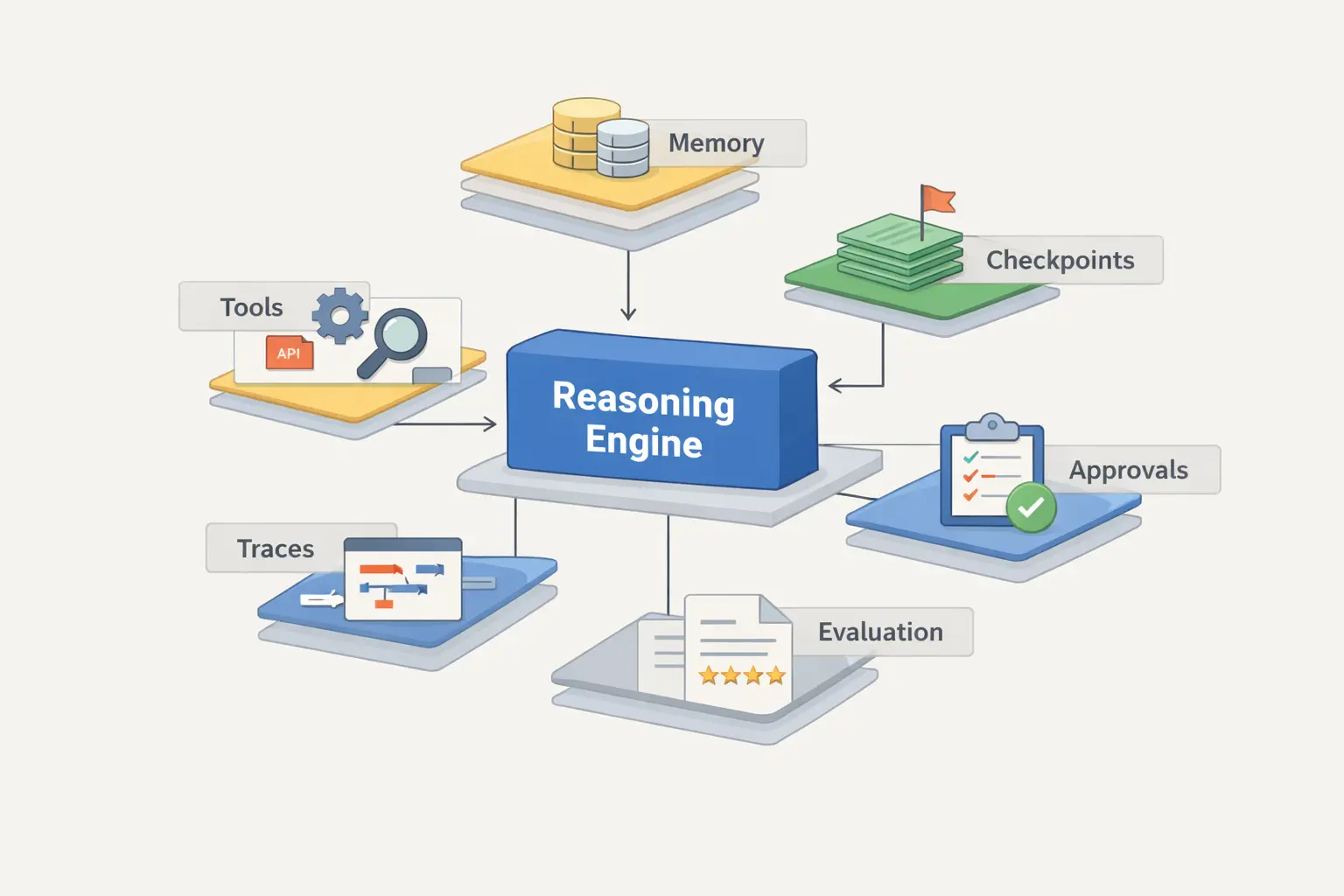
AI Assistant Development Cost in 2026: RAG Chatbots, CRM Integrations, Guardrails, and Support
A practical buyer guide to AI assistant development cost in 2026: prototypes, RAG chatbots, knowledge-base assistants, CRM and website integrations, guardrails, evaluations, monitoring, and support.

AI Can Make More. Not Better: What Game Development Research Actually Says
Generative AI is entering game production, but the evidence is more nuanced than the hype. We examine developer adoption, player reception, quality risks, and a practical production model for using AI without outsourcing taste.